WhoScored: The Simple Guide to Football Stats, Ratings, and Why Fans Love It
Introduction: What WhoScored Is and Why It Matters
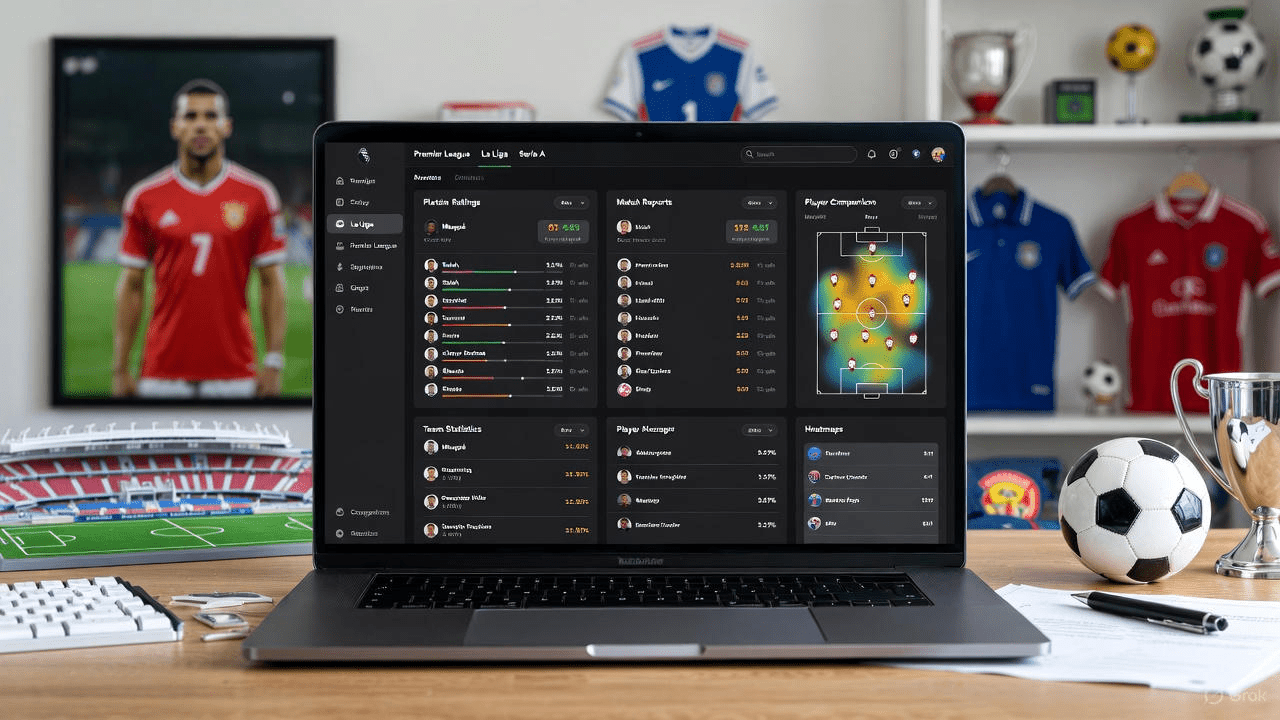
WhoScored is a website that gives football fans numbers. It turns match events into clear ratings. Fans use it to compare players and teams. The site is famous for detailed player ratings and match reports. It also offers team stats, heatmaps, and player comparisons.
If you like numbers and football, WhoScored makes the game easier to understand. This article will explain how it works. I will share tips, examples, and things I learned watching matches. You will get useful ideas for finding great players and match stories. Read on and you will learn how WhoScored helps fans, writers, and coaches.
How WhoScored Calculates Player Ratings
WhoScored gives each player a score after a match. The score comes from many events in the game. Passes, tackles, shots, and goals count. The site uses a model that weighs each action. Good actions raise the score. Mistakes lower it. The score is not the whole story. It is a quick snapshot of a player’s performance.
When you read a rating on WhoScored, check the event list too. That list shows what the player did. This helps you see why the rating is high or low. Ratings make it easy to compare players across matches.
The Main Stats You Should Know
WhoScored shows many stats for each match. Common ones are goals, assists, shots, and passes. It also shows key passes and interceptions. Expected goals (xG) is a popular stat too. Heatmaps show where a player spent time on the pitch. Passing accuracy and duels won are helpful. These numbers tell a story you might miss just by watching. For example, a striker may miss chances but still create space and help the team. WhoScored helps you spot that value. Use the site to find hidden strengths in players and teams.
Why WhoScored Is Useful for Premier League Fans
For Premier League fans, WhoScored is a handy tool. It lists each Premier League match with full stats. You can find player ratings for Liverpool, Arsenal, and other clubs. The site makes it easy to compare performances week by week. Fans use WhoScored to argue about who played best. Writers use it for match recaps and analysis. Fantasy football players use it to pick transfers. If you follow the Premier League, WhoScored gives fast, reliable numbers to support your view. It adds depth to simple match highlights and helps you understand how teams win.
How Clubs and Pundits Use WhoScored Data
Clubs and pundits often look at WhoScored for quick data. It gives a clear snapshot of player and team form. Pundits use the stats on TV and online columns. Coaches may consider such numbers when preparing for an opponent. Of course, clubs have their own detailed data. Still, WhoScored is public and easy to use.
That makes it perfect for journalists and casual analysts. When I watch matches, I check WhoScored for context. I use it to see if a player’s performance matches what I saw on the pitch. The numbers often confirm or challenge my view.
Reading a WhoScored Match Report
A WhoScored match report breaks down the game step by step. It lists goals, cards, and substitutions. It gives player ratings and key stats. It shows team formations and player positions too. The site often points out standout players. Read the report after watching the match. The report can explain why a team won or lost.
It can also highlight small details that decide a match. For example, a defender may have made many important clearances. The match report will show that. Use the report to deepen your match understanding.
Liverpool on WhoScored: What to Look For
If you follow Liverpool, WhoScored can help you track their style. Look at pressing stats, chances created, and passing lengths. Liverpool often shines in high pressing and quick transitions. WhoScored shows how players like full-backs and wingers affect the attack. Check the player ratings and heatmaps to spot who covered the most ground.
Also, compare individual stats for shots and key passes. This helps you see which Liverpool player is in form. The site is especially useful during busy fixture weeks. It helps fans see who played well across several matches.
Arsenal on WhoScored: Key Metrics to Follow
Arsenal fans can use WhoScored to study play patterns. Look for passing chains, possession share, and shot locations. Arsenal often build attacks methodically. WhoScored’s data shows how often the team keeps the ball.
It also highlights creative players who provide assists and chances. Player ratings tell you which individuals made the biggest impact. Watch for defensive stats too, like tackles and interceptions. These can explain why Arsenal wins tight games. If you track stats over time, you can see which players help the team improve.
Big Names and Player Pages: Mbappé and Others
Big players like Mbappé get detailed pages on WhoScored. These pages list seasonal stats, match ratings, and strengths. You can compare top stars in one view. The player card shows goals, assists, shots, and more
. For fast players, look at shots on target and dribbles completed. For midfielders, check passes, key passes, and progressive carries. WhoScored helps fans and writers compare stars fairly. For example, you can see if Mbappé’s goals come from open play or set pieces. That gives real insight when discussing who is the best.
Advanced Stats: xG, Key Passes, and More
WhoScored includes advanced metrics like xG and key passes. xG stands for expected goals. It estimates how likely a shot was to score. Key passes show passes that create a chance. Progressive passes move the ball forward into attacking zones. Interceptions and clearances show defensive work.
These stats help explain hidden value. A player may not score often but may create many key passes. Use these advanced numbers to spot smart players who improve team chances. They give a deeper look than simple goals and assists.
How to Use WhoScored for Fantasy Football
Fantasy players can use WhoScored to find value picks. Look for players with high ratings and consistent stats. WhoScored shows recent form and average ratings. That helps you plan transfers and captain picks. Check minutes played too, because time on the pitch matters. A highly rated bench player is less useful than a starter.
Use WhoScored to compare similar players. For example, two wingers may have similar goals, but one may create more chances. Choosing the creator could win you more points.
Comparing Players: Tools and Tips
WhoScored allows side-by-side player comparisons. Use it to compare stats across seasons. Look at goals, assists, dribbles, and defensive actions. Also check passing and shot locations. Try to compare players who play similar roles. That gives a fair view. For example, compare two central midfielders on key passes and tackles. Watch how the site ranks their match ratings. I often use comparisons when writing articles. They help readers see clear differences between players.
Limitations: What WhoScored Can’t Tell You
WhoScored is powerful, but it has limits. Numbers miss some match context. A player can change a game without big stats. Leadership, positioning, and off-ball runs may not show up. Also, the rating model favors measurable actions. Human judgement still matters. Always watch the match with your eyes first. Use WhoScored as a second view. Mix stats and watching to get the whole picture. This combined approach gives better analysis than numbers alone.
How to Spot Trends with WhoScored
Follow player ratings over several matches to find trends. WhoScored allows you to view season averages. Rising ratings can mean a player is improving. Falling numbers may show fatigue or injury. Team stats can also show tactical shifts. For example, more long passes could show a change in approach. Use these trends to predict future performance. In my experience, trends are more reliable than single-match stats. They help in fantasy decisions and long-form articles.
Personal Tip: Use Heatmaps for Hidden Value
Heatmaps on WhoScored show where players spend time. I use them to spot players who work hard off the ball. A midfielder with lots of high-area touches helps the attack. A winger who cuts inside often will show different heat patterns. These maps help me see roles players take in different games. Heatmaps also show tactical shifts between coaches. They are a small visual tool, but they add depth to written stats. Try them when you read match reports.
Writing Better Match Reports with WhoScored
If you are a writer, WhoScored is a great source. Use the stats to back your claims. Mention player ratings to support your view. Cite numbers for shots, key passes, and defensive actions. Keep sentences short and clear. Use examples from the event list to add trust. Readers like facts mixed with simple storytelling. I often begin with an eye-catching stat from WhoScored. Then I explain what it means for the match. This method makes articles factual and readable.
Trust and Accuracy: Why WhoScored Is Credible
WhoScored uses large data sets and clear methods. That makes the site reliable for quick stats. It also updates fast after matches finish. Many journalists and fans use WhoScored daily. That shared use builds trust. Still, check multiple sources for big claims. Combine WhoScored with other stats like Opta or club data. This gives a balanced view. For everyday fans and writers, WhoScored is a trustworthy first stop for match facts and player ratings.
Mobile Use and Quick Checks
WhoScored works well on phones and desktops. When you need fast info, open the app or site. Quick checks on player ratings can settle debates. For example, after a match, open WhoScored to see man-of-the-match choices. The site is great for quick facts before you tweet or write. I use it to confirm match events and to check formations. Its clean layout makes quick browsing easy and efficient.
Integrating WhoScored into Fan Conversations
When arguing about players, use WhoScored as evidence. Say a player scored a high rating. Show the stat for shots or key passes. Fans often accept numbers more than claims. Use WhoScored to keep debates friendly and fact-based. I find that adding one clear stat ends long arguments. It also encourages fairer chat. Remember to point out context, like minutes played or game state. That keeps the discussion balanced.
How WhoScored Compares to Other Sites
WhoScored is similar to other stat sites but unique in detail. It focuses on match ratings and event lists. Sites like transfer trackers and advanced data platforms offer deeper models. WhoScored stands out for its easy ratings and player pages. Use other sites too if you need special metrics. But WhoScored is a great start for most fans and writers. It balances clear numbers and easy reading. That combination makes it a go-to resource.
Conclusion: Use WhoScored, But Mix It with Your Eyes
WhoScored is a helpful tool for fans, writers, and fantasy players. It gives clear player ratings and match stats. Use it to learn patterns and spot value players. But do not rely on it alone. Watch matches and combine that with the data for the best insight. Try WhoScored for Liverpool and Arsenal matches this weekend. Check player pages for stars like Mbappé too. Mix numbers with watching and you will enjoy football more. If you want, use the site to practice writing match reports and making fantasy choices.
FAQs
1. What is WhoScored and is it free?
WhoScored is a football statistics website. It shows match ratings, player pages, and team stats. The basic content is free to read. Some parts may need an account or subscription for extra features. For casual fans, the free content is usually enough to learn the main facts.
2. How accurate are WhoScored player ratings?
WhoScored ratings are based on a clear model. They are good for quick comparisons. But they do not capture everything. Leadership and off-ball work may be missed. Use ratings with match watching to get a full picture. Overall, the ratings are a reliable guide.
3. Can I use WhoScored for fantasy football picks?
Yes. WhoScored is useful for fantasy decisions. Look for consistent high ratings and minutes played. Check goals, key passes, and chances created. Combine these numbers with team news and injuries. That boosts your fantasy choices.
4. Does WhoScored show advanced stats like xG?
Yes. WhoScored includes advanced measures like xG, key passes, and progressive passes. These help explain player contributions beyond goals and assists. Use these stats to spot players who create chances.
5. Can I compare players across leagues on WhoScored?
You can compare players across many leagues. But be careful when comparing different competitions. Style and difficulty vary by league. Compare similar roles to make fair judgments. WhoScored’s comparison tools make this easier.
6. How often is WhoScored updated after a match?
WhoScored updates quickly once a match ends. Ratings and event lists appear soon after final whistle. This makes it great for quick match follow-up and writing. Check the site right after the game to see fresh stats.